How to Protect Your Personal Data on Websites and Social Networks
Article Content
In today’s digital landscape, personal data has become a valuable commodity. Programmers and technology professionals often deal with sensitive information, both personal and organizational, that must be protected. Whether you’re managing a social media profile or working on a project that handles user data, understanding how to safeguard this information is crucial. In this article, we’ll dive into practical steps to protect your personal data on websites and social networks, drawing from security best practices and industry standards.
1. Use Two-Factor Authentication (2FA)
Two-factor authentication (2FA) is one of the most effective methods for securing your accounts on websites and social networks. By adding an extra layer of security, it ensures that even if your password is compromised, your account remains protected.
Many platforms, such as Authy and Google Authenticator, provide easy-to-use 2FA systems that can be integrated into your accounts. As a developer, you can also consider implementing 2FA in your own applications using libraries and APIs available for major programming languages.
2. Encrypt Your Data
Data encryption is essential for securing sensitive information, especially when dealing with website databases or communicating via APIs. By encrypting data in transit and at rest, you make it much harder for attackers to intercept and read sensitive information.
Use HTTPS for all web communication and ensure that your servers are properly configured with SSL/TLS certificates. Additionally, platforms like Let’s Encrypt offer free SSL certificates that are simple to install and maintain.
3. Regularly Review Privacy Settings
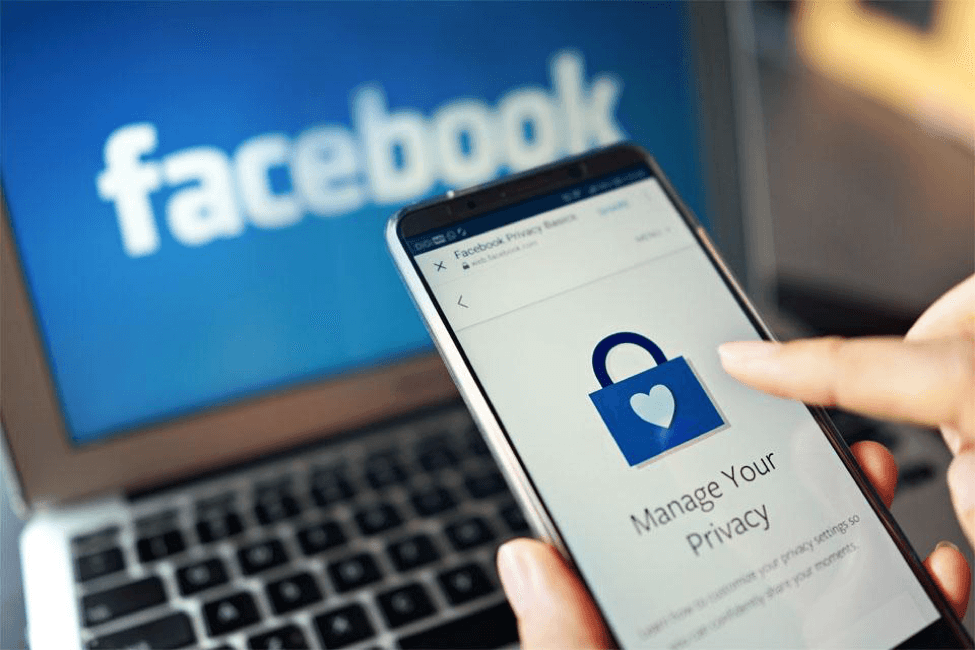
Social networks frequently update their privacy settings, sometimes without clearly notifying users. As a result, it’s important to regularly review the privacy controls on your accounts. Most platforms allow you to limit who can see your posts, contact you, or find your profile in searches. These controls can minimize the risk of exposing personal information to the wrong audience.
For instance, on LinkedIn, you can adjust your profile visibility in the settings to prevent unauthorized individuals from viewing your professional background or personal details. On Facebook and Twitter, you can restrict who can view your posts and control third-party app access. Detailed guides on privacy settings for each platform can be found on their official help pages, such as Facebook’s Privacy Basics.
4. Minimize Data Sharing on Third-Party Apps
Many third-party apps ask for access to your personal data, often more than is necessary for their operation. As a best practice, limit the access you grant to these apps by reviewing the permissions they request. Avoid sharing sensitive information such as your email, contacts, or location with apps that don’t explicitly require it for functionality.
Additionally, if you’re a developer, ensure that your application only asks for the necessary permissions when interacting with social media APIs. This not only enhances user trust but also helps in maintaining security.
5. Implement Strong Password Policies
Using strong, unique passwords for each account is a fundamental aspect of personal data security. Weak passwords are an easy target for attackers, especially when used across multiple platforms. A combination of upper- and lowercase letters, numbers, and special characters should be the standard.
Consider using a password manager like LastPass or Bitwarden to generate and store complex passwords securely. As a professional, if you manage user accounts, implementing strong password policies such as regular updates and restrictions on password reuse is a must.
6. Keep Software and Plugins Updated
Keeping software and plugins up-to-date is crucial for maintaining security. Developers often release patches to address vulnerabilities, and failing to update software leaves systems exposed to known threats.
This applies to operating systems, browsers, plugins, and the software libraries you use in development. Regularly check for updates and apply them as soon as possible. Automated update systems can help streamline this process, ensuring your systems are always protected.
7. Monitor Account Activity
Monitoring your account activity is a proactive way to detect unauthorized access. Most platforms provide tools to view recent login activity or notifications for suspicious logins. If you notice any unusual behavior, such as logins from unfamiliar locations or devices, change your password immediately and investigate further.
For example, Google provides a detailed view of all the devices signed in to your account, while Facebook and Twitter allow you to monitor active sessions and sign out of any suspicious ones.
Final Thoughts
As professionals in the tech space, we often emphasize securing systems and data for others, but it’s equally important to apply these principles to our personal online presence. Implementing two-factor authentication, encrypting data, and keeping a close eye on privacy settings are just a few steps that can go a long way in protecting your personal data on websites and social networks. Stay vigilant, regularly update your security measures, and educate others on the importance of protecting their personal information online.
Written by
TempMail Ninja
Digital privacy and online security expert. Passionate about creating tools that protect users' identity on the internet.