LastPass Authenticator Update Adds Face ID and Apple Watch Support
Article Content
In an era dominated by aggressive credential stuffing, session hijacking, and adversary-in-the-middle (AiTM) phishing, multi-factor authentication (MFA) remains an indispensable pillar of modern cybersecurity defense. However, as threat actors refine their methods to target mobile endpoints and intercept physical access, standalone two-factor authentication tools must evolve beyond basic passcode displays. The latest major update to the LastPass Authenticator directly addresses these operational challenges by deploying native Face ID biometric gating, Apple Watch companion support, and zero-knowledge encrypted cloud backups. Designed to harmonize zero-trust identity verification with frictionless daily usability, this release fundamentally upgrades how users and organizations protect Time-based One-Time Password (TOTP) seeds and push notification approvals across mobile and wearable hardware.
The Evolution of Modern 2FA and LastPass Authenticator Architecture
Two-factor authentication relies heavily on time-synchronized cryptographic algorithms to verify identity beyond a traditional password. At the core of open standard 2FA is the Time-based One-Time Password protocol, defined under RFC 6238 (an extension of the HMAC-based One-Time Password algorithm, RFC 4226). TOTP functions by combining a shared secret seed—exchanged during initial setup via QR code or manual key entry—with the current Unix time counter, truncated into a short-lived 6-digit passcode refreshed every 30 seconds.
While the underlying mathematics of TOTP are robust, the security of the ecosystem depends entirely on the protection of the secret seed stored within the authenticator client. The updated LastPass Authenticator acts as a dual-engine authentication platform. On one hand, it functions as a proprietary push notification client for LastPass vault logins, allowing users to verify access with a single tap. On the other hand, it operates as a universal TOTP generator for thousands of third-party platforms and services, including Amazon, AWS, GitHub, Coinbase, Discord, Dropbox, Slack, and corporate identity providers.
By unifying these two paradigms into a singular mobile client, the software eliminates the need for fragmented authentication tools. However, consolidating multiple enterprise and personal credentials into one application increases the impact of local endpoint compromise—a risk that this major update directly mitigates through hardware-backed biometric defenses and encrypted backup protocols.
Biometric Defense: Native Face ID Integration for Local Token Protection
One of the most persistent attack vectors in mobile security is physical endpoint exposure. If an attacker gains temporary physical control of an unlocked smartphone—whether through snatch-and-run theft, shoulder surfing, or opportunistic physical access—unprotected authenticator applications expose all generated TOTP passcodes and approval prompts instantly. To close this attack vector, LastPass Authenticator introduces native Face ID biometric protection on supported iOS devices.
This integration leverages the device’s LocalAuthentication framework and hardware-isolated Secure Enclave. Under this enhanced security posture, biometric verification is strictly required before the application allows a user to perform critical actions:
- Viewing TOTP Passcodes: Secrets remain hidden or obscured until a successful Face ID scan confirms the primary device owner is present.
- Approving Push Prompts: Inbound 2FA authentication prompts for vault or service access cannot be confirmed without real-time facial recognition, neutralizing automated or unattended taps.
- Exposing Secret Seeds: Exporting QR codes or displaying underlying alphanumeric seed keys requires re-authentication, preventing unauthorized extraction of cryptographic keys.
Additionally, the app reinforces local privacy through customizable “Tap to Reveal” display settings and built-in screen capture restriction mechanisms. By preventing unauthorized background processes or local observers from reading visible codes, the software effectively isolates authentication tokens from the surrounding OS environment.
Wrist-Based Frictionless Access: Apple Watch Integration and Push Approvals
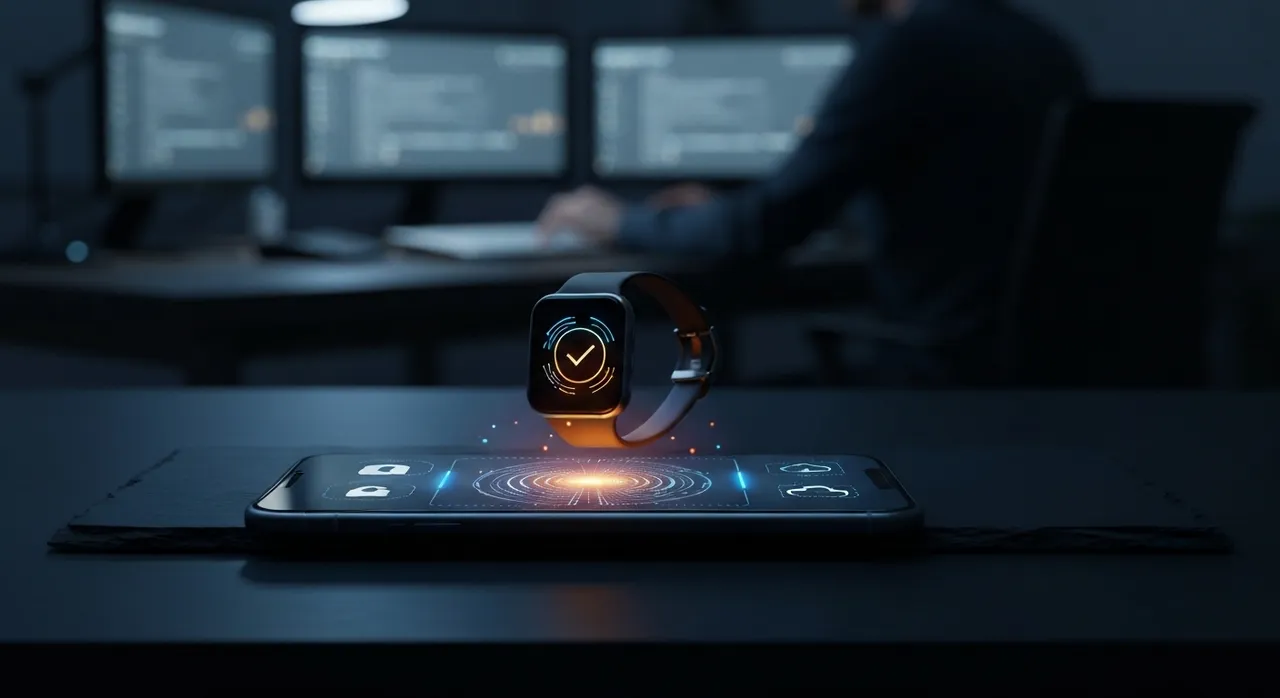
Security controls that introduce significant friction often suffer from user fatigue or workaround bypasses. Recognizing the need for speed in enterprise workflows, the update introduces a dedicated Apple Watch companion application, extending MFA approval workflows directly to the user’s wrist.
With Apple Watch support, users receiving push notifications for 2FA requests no longer need to locate, unlock, and interact with their primary iPhone. Instead, an interactive notification appears on WatchOS, presenting key context—such as the requesting application, timestamp, and geo-context where available—alongside one-tap Approve or Decline options.
From an architectural perspective, wrist-based verification maintains strict security parameters through Apple’s native hardware mechanisms:
- Wrist Detection & Device Lock: The Apple Watch client only functions when the wearable device is active and strapped to an authenticated user’s wrist. If the watch is removed, it immediately locks and revokes authentication rights until a local passcode is entered.
- Encrypted Inter-Process Communication: Data exchanged between the host iOS app and the WatchOS companion app travels over encrypted WatchConnectivity channels, ensuring push payloads cannot be sniffed locally over Bluetooth or local Wi-Fi links.
- Elimination of Phone Retrieval: Users can generate 6-digit TOTP codes directly from the watch interface, allowing rapid login on desktop workstations without picking up a secondary device.
Zero-Knowledge Encrypted Cloud Backups: Resolving the Device Migration Crisis
Historically, the greatest weakness of local TOTP generation was the “authenticator lock-in trap.” If a user lost, broke, or upgraded their mobile phone without manually exporting individual account seeds, they faced catastrophic account lockouts requiring complex recovery key procedures across dozens of independent services. Conversely, naive cloud synchronization models introduced centralized server risk, where compromised cloud databases could expose plain-text TOTP seeds to threat actors.
To solve this dilemma, LastPass Authenticator implements zero-knowledge encrypted cloud backups. Under this model, all saved TOTP secret seeds, account metadata, and configuration settings are encrypted locally on the user’s device prior to cloud transmission.
The cryptographic architecture operates under zero-knowledge standards:
- Client-Side Encryption: Secret seeds are transformed into ciphertext using 256-bit Advanced Encryption Standard (AES-256) in Galois/Counter Mode (GCM) or Cipher Block Chaining (CBC).
- Key Derivation: Encryption keys are derived locally using high-iteration key derivation functions (such as PBKDF2-SHA256), linked directly to the user’s master credentials or secure local enclave keys.
- Zero-Knowledge Storage: Neither LastPass servers, cloud storage providers, nor intercepting third parties possess the decryption key necessary to read the stored TOTP seeds.
When migrating to a replacement iPhone or restoring after a system reset, the user authenticates into their account, downloads the encrypted backup payload, and decrypts the TOTP seeds locally. This guarantees seamless device transitions without compromising the fundamental zero-trust rule: only the end user holds the key to their authentication seeds.
Comprehensive Endpoint Auditing and Built-In Security Checkups
Beyond biometrics and cloud recovery, the update incorporates an updated Security Checkup diagnostic suite built directly into the client application. This engine continuously audits the local application state and OS environment to detect emerging risks before credentials can be hijacked.
Key defensive checks executed by the system include:
- Jailbreak & Root Detection: Scans the underlying operating system for signs of unauthorized privilege escalation or kernel modifications that could allow memory inspection tools to hook into TOTP secret storage.
- OS Freshness Auditing: Verifies that the host device is running supported, patched operating system builds with active security updates.
- App Integrity Monitoring: Ensures the application binary has not been tampered with or injected with malicious dynamic libraries.
- Automated Enrollment Safety: Features built-in QR code scanning from both camera inputs and encrypted photo screenshots stored in the device library, simplifying setup while verifying QR payload structure against malicious protocol redirects.
Comprehensive Feature Comparison Matrix
To understand how this release elevates personal and corporate security posture, consider how the updated client compares against standard market offerings:
- Local Access Control: Mandates hardware-backed Face ID biometric gating for seed viewing and push approvals, whereas standard authenticators rely solely on basic device-level screen locks.
- Wearable Ecosystem: Offers native Apple Watch push approvals and TOTP code displays with active wrist-detection security.
- Cloud Backup Security: Employs client-side AES-256 zero-knowledge encryption, ensuring backup data cannot be decrypted by service operators.
- Enrollment Versatility: Supports automated QR setup, manual seed entry, predefined service templates (e.g., AWS, GitHub, Binance, PayPal), and direct screenshot photo parsing.
Actionable Implementation Roadmap for Enterprise and Personal Security
To maximize the protection provided by these new capabilities, administrators and individual users should follow a structured deployment model:
- Enable Biometric Mandatory Gating: Access app settings and turn on native Face ID verification alongside the “Tap to Reveal” option to prevent passive visual surveillance.
- Activate Zero-Knowledge Cloud Backup: Verify that cloud backup is active and linked to your master account, ensuring recovery credentials are documented in an offline, air-gapped password vault.
- Pair Wearable Companion App: Install the Apple Watch client and test push approvals while verifying that wrist-detection features are enforced in WatchOS settings.
- Perform a System Security Checkup: Run the built-in diagnostic audit to ensure no jailbreak indicators exist and that screenshot protections are active.
- Consolidate Legacy Tokens: Migrate standalone third-party TOTP seeds into the application using predefined service templates or screenshot import functionality to centralize biometric access controls.
By integrating hardware-backed biometrics, wearable integration, and zero-knowledge cloud backups, the updated LastPass Authenticator sets a high standard for modern multi-factor protection. In a threat landscape where credential theft remains the primary gateway for enterprise breaches, securing the authenticator endpoint itself is no longer optional—it is a vital operational necessity.
Written by
TempMail Ninja
Digital privacy and online security expert. Passionate about creating tools that protect users' identity on the internet.