Remote Worker Security: Guide to Public Wi-Fi and Encryption
Article Content
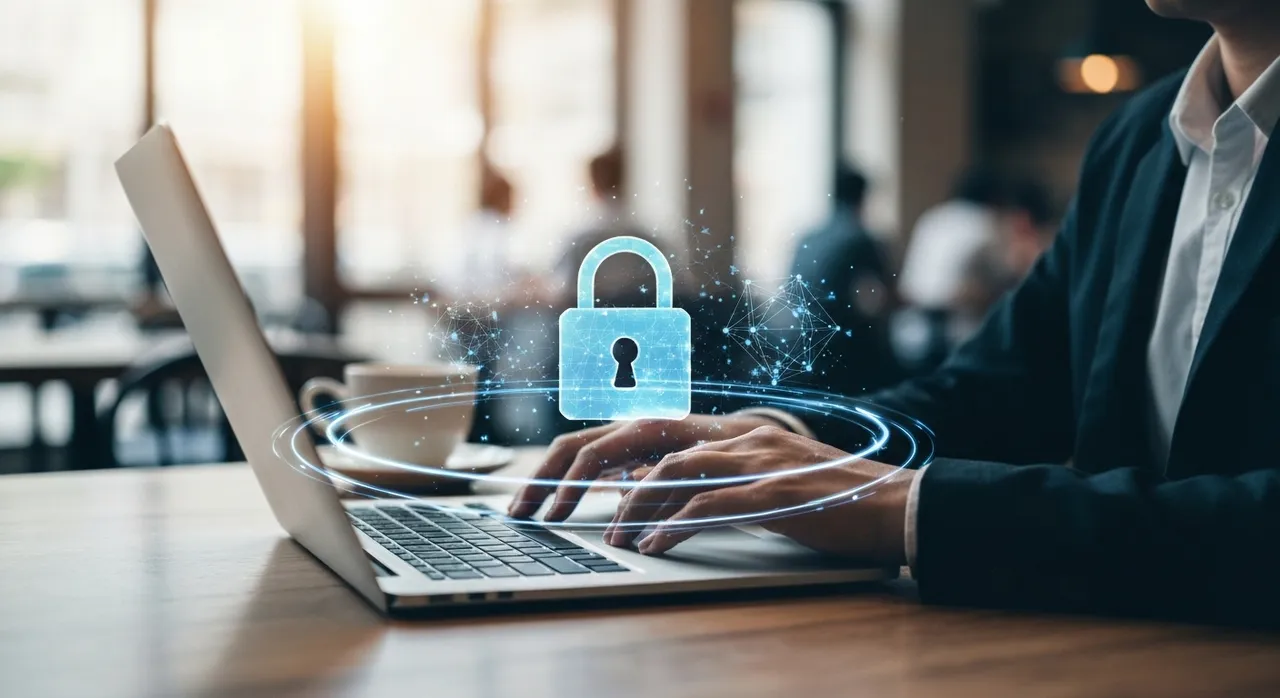
As we navigate the deep waters of the 2026 professional landscape, the boundary between the corporate office and the local café has effectively dissolved. For the modern digital nomad, connectivity is the lifeblood of productivity, but it is also the primary vector for sophisticated cyber adversaries. On April 23, 2026, the National Security Agency (NSA) released a seminal technical advisory that redefines the standards for Remote Worker Security. This guide arrives at a critical juncture, as the “Evil Twin” phenomenon and man-in-the-middle (MitM) attacks reach new levels of complexity, targeting the very foundations of public network trust.
The Illusion of Safety: Deconstructing the Public Wi-Fi Threat
For many professionals, a password-protected Wi-Fi network in a high-end airport lounge or a reputable coffee shop feels inherently secure. However, the NSA’s latest briefing warns that this perception is a dangerous fallacy. In 2026, the barrier to entry for executing a “Man-in-the-Middle” attack has dropped significantly, thanks to automated hardware that can intercept, decrypt, and re-transmit data in real-time. Even networks utilizing modern WPA3 protocols are not immune if the access point itself is compromised or rogue.
The Rise of the “Evil Twin” Attack
The “Evil Twin” attack remains one of the most insidious threats to Remote Worker Security. In this scenario, a malicious actor deploys a high-gain wireless transmitter that mimics the SSID (network name) of a legitimate public hotspot. Because most devices are configured to auto-connect to known or “stronger” signals, a remote worker’s laptop may silently hop from the legitimate café Wi-Fi to the attacker’s rogue station without any visual notification to the user.
- Packet Sniffing: Once the connection is established, the attacker captures every packet of data leaving the device.
- DNS Spoofing: The rogue access point can redirect traffic from legitimate banking or corporate login pages to pixel-perfect clones designed to harvest credentials.
- Session Hijacking: By intercepting session cookies, attackers can bypass multi-factor authentication (MFA) in certain poorly configured environments, gaining direct access to sensitive cloud environments.
The NSA emphasizes that even if a public Wi-Fi network requires a password, the encryption only protects the link between the device and the router. It does not provide end-to-end sovereignty. If the router is the “Evil Twin,” your data is being handed directly to the adversary in a readable format before it ever hits the broader internet.
Layer 1: The Cellular Fortress – Transitioning to Mobile Hotspots
To “protect what matters most,” the 2026 guidelines suggest a fundamental shift in how we connect. The primary recommendation for Remote Worker Security is the total abandonment of public Wi-Fi in favor of mobile hotspots. Utilizing a smartphone’s cellular signal (5G or the emerging 6G bands) to create a personal wireless network offers several technical advantages that public hotspots cannot match.
Cellular-grade encryption is fundamentally different from Wi-Fi encryption. When a device communicates via a mobile hotspot, the data is encrypted at the network level, utilizing the SIM card’s hardware-based authentication. This creates a “private tunnel” by default. Unlike public Wi-Fi, where multiple users share a local area network (LAN) and can potentially “see” each other’s traffic (network discovery), a mobile hotspot isolates the connected device. This isolation virtually eliminates the risk of local network reconnaissance and lateral movement attacks from other nearby users.
Technical Advantages of Mobile Hotspots:
- Carrier-Grade Authentication: The use of AKA (Authentication and Key Agreement) protocols makes it nearly impossible for an amateur attacker to spoof a cellular tower in a public setting.
- Network Isolation: Your laptop is the only guest on the network, preventing “Neighbor Attacks” common in shared Wi-Fi environments.
- WPA3 Personal: Modern 2026 smartphones allow for WPA3-SAE (Simultaneous Authentication of Equals), providing superior protection against password-cracking attempts compared to older hotspots.
Layer 2: The Encrypted Conduit – The Necessity of Modern VPNs
If a mobile hotspot is unavailable and a public network must be used, the NSA dictates that a Virtual Private Network (VPN) is no longer optional; it is a mandatory requirement for Remote Worker Security. However, the guide cautions that not all VPNs are created equal in the 2026 threat landscape. Corporate users are encouraged to move away from legacy protocols like L2TP/IPsec and toward high-performance, high-security protocols such as WireGuard or OpenVPN over TLS 1.3.
A VPN functions by creating an encrypted “tunnel” inside the public network. Even if an attacker successfully executes an “Evil Twin” attack and intercepts your packets, those packets will consist of unintelligible ciphertext. For the adversary, the intercepted data becomes a series of high-entropy blocks that are computationally impossible to decrypt without the private keys stored securely on your device and the VPN server.
Critical VPN Configurations for 2026:
- Kill Switch Activation: This feature ensures that if the VPN connection drops for even a millisecond, all internet traffic is instantly halted, preventing “data leaks” onto the unencrypted public network.
- Multi-Hop (Double VPN): For high-value targets, routing traffic through two separate encrypted servers in different jurisdictions adds a layer of obfuscation against nation-state-level traffic analysis.
- Post-Quantum Cryptography (PQC): The latest 2026 VPN clients have begun integrating PQC algorithms to protect today’s data against future “harvest now, decrypt later” attacks by quantum computers.
Layer 3: Hardening the Core – BitLocker and CVE-2026-27913
Network security is only half of the battle. The final layer of defense focuses on the data at rest. The April 2026 guidelines highlight a significant shift in local device security, specifically targeting full-disk encryption (FDE). While Windows BitLocker has long been the industry standard, a critical vulnerability discovered in early 2026—identified as CVE-2026-27913—has sent shockwaves through the cybersecurity community.
Understanding the BitLocker Bypass (CVE-2026-27913)
This specific vulnerability is classified as an Improper Input Validation flaw (CWE-20) within the BitLocker authentication sequence. Specifically, an attacker with physical access to the device can exploit a weakness in how the system validates specific boot-time parameters. This allows the adversary to bypass the traditional PIN or TPM-based authentication, effectively “unlocking” the drive without the user’s credentials.
For a remote worker, this is a nightmare scenario. If a laptop is stolen in a public space, the encrypted data—which was thought to be safe—could be exposed within minutes by a sophisticated thief. The NSA’s 2026 guide is explicit: All remote workers must apply the Microsoft April 2026 Security Updates immediately to patch this bypass.
The Technical Fix:
The patch addresses the vulnerability by hardening the Trusted Platform Module (TPM) handshake and implementing stricter validation for the Unified Extensible Firmware Interface (UEFI) variables. Beyond the patch, the NSA recommends a “defense-in-depth” approach to file security:
- Enhanced PINs: Moving beyond 4-digit PINs to complex alphanumeric startup keys.
- Secondary File-Level Encryption: Sensitive documents should be wrapped in an additional layer of encryption (such as 7-Zip AES-256 or specialized vault software) so that even if the disk encryption is bypassed, the most critical files remain secure.
- Remote Wipe Capabilities: Ensuring that Mobile Device Management (MDM) software is active, allowing the IT department to incinerate the device’s encryption keys the moment it is reported lost.
Advanced Hygiene: The “Ninja” Protocol for 2026
To reach the pinnacle of Remote Worker Security, technical tools must be paired with disciplined operational security (OPSEC). The 2026 guidelines introduce several “hygiene” tactics that are often overlooked but are vital in preventing sophisticated social engineering and physical compromises.
1. Physical Privacy Filters: In a world of high-resolution “shoulder surfing,” a physical privacy screen is a low-tech but high-impact defense. Attackers in public spaces often use long-range cameras to record users typing passwords or viewing sensitive spreadsheets.
2. Disabling Discovery: Remote workers should ensure that “File and Printer Sharing” and “Network Discovery” are disabled on all public and guest profiles. This prevents the device from broadcasting its presence to other nodes on a shared network.
3. Use of Privacy-First Browsers: Browsers that automatically force HTTPS (via HTTPS Everywhere protocols) and block third-party trackers reduce the attack surface. In 2026, the NSA specifically suggests browsers that implement DNS-over-HTTPS (DoH) to prevent the local network provider (or an Evil Twin) from seeing which domains you are visiting.
Conclusion: The Proactive Stance on Data Sovereignty
The cybersecurity landscape of 2026 does not permit passivity. As the NSA’s April 23 advisory makes clear, the threats facing remote workers are no longer theoretical—they are automated, localized, and increasingly sophisticated. By adopting a layered defense strategy—transitioning to mobile hotspots, enforcing VPN-only connectivity, and patching critical vulnerabilities like CVE-2026-27913—professionals can reclaim their data sovereignty.
Ultimately, Remote Worker Security is about more than just software; it is a mindset of “Zero Trust.” Treat every public connection as compromised, every physical space as observed, and every device as a target. In the digital shadows of 2026, only the vigilant will remain secure.
Written by
TempMail Ninja
Digital privacy and online security expert. Passionate about creating tools that protect users' identity on the internet.