
Signal Secure Backups: Automatic Cloud Storage and E2EE Features
Article Content
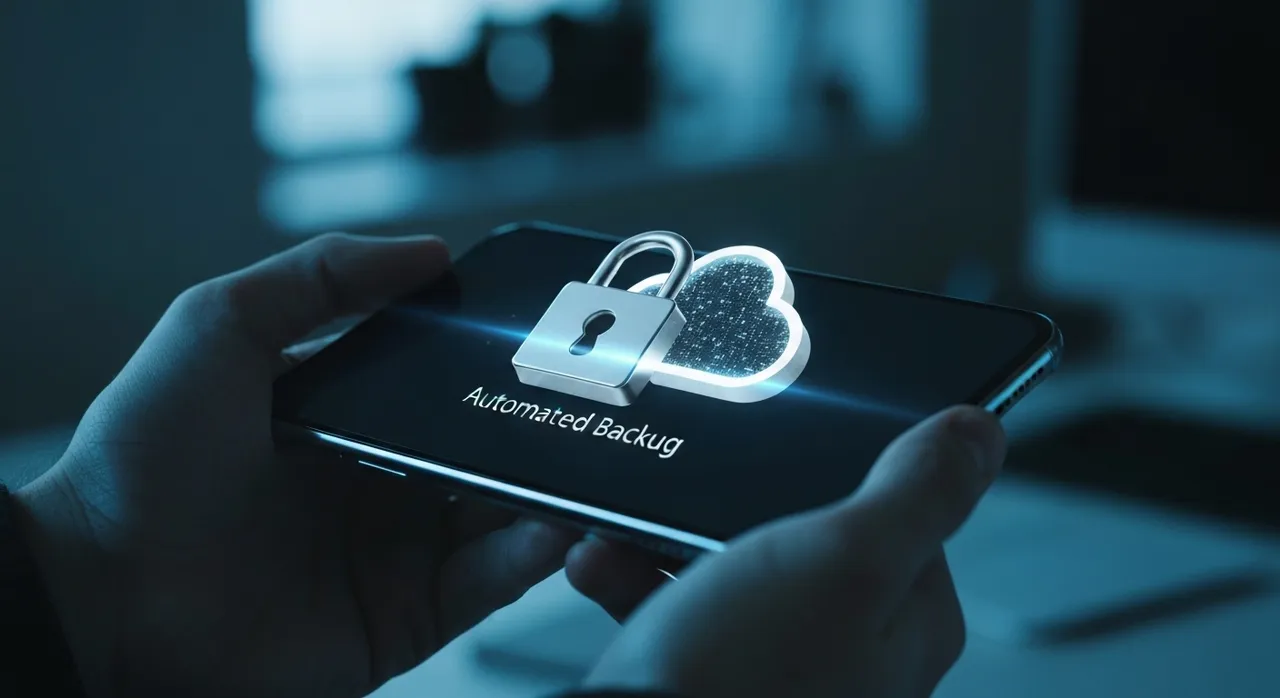
For over a decade, the “Signal experience” was defined by a specific, high-stakes trade-off: absolute privacy at the cost of absolute permanence. If you dropped your phone in a river or lost your hardware to a catastrophic update, your digital history vanished into the ether. Signal’s steadfast refusal to touch user data meant that your messages lived and died on a single piece of silicon. But as of April 30, 2026, that era of digital fragility has officially come to an end with the global rollout of Signal secure backups.
This update, spanning versions 8.8.0 and 8.9.0 across mobile and desktop platforms, marks the most significant architectural evolution since the introduction of the Signal Protocol itself. By implementing a zero-trust, cloud-based recovery system, the Signal Technology Foundation has finally solved the “usability friction” that has long haunted the privacy-conscious community. It is a masterstroke in technical engineering that allows for data persistence without ever granting the server—or the non-profit organization behind it—the keys to the kingdom.
The Cryptography of Signal Secure Backups
To understand the magnitude of Signal secure backups, one must look beneath the user interface and into the vault of Secure Value Recovery (SVR). Unlike traditional cloud backups (such as those found in WhatsApp or iMessage), which often rely on server-side key management or provider-controlled hardware, Signal’s new framework utilizes a decentralized, zero-knowledge architecture.
At the heart of the system is a 64-character recovery key generated entirely on the user’s local device. This key is never transmitted to Signal’s servers in its raw form. Instead, the system leverages Intel SGX (Software Guard Extensions) and secure enclaves. When a user opts into backups, their message database is encrypted locally and then uploaded to Signal’s infrastructure. The decryption keys are protected by the SVR service, which uses a “blinded” authentication process. Even if a state actor or a malicious insider were to gain full access to Signal’s physical servers, the data remains an impenetrable wall of ciphertext.
The technical sophistication of this rollout includes several layers of defense-in-depth:
- Argon2id Key Derivation: The system uses memory-hard hashing to prevent brute-force attacks on the recovery phrase, ensuring that even relatively low-entropy passwords (if chosen by the user) remain resilient against modern GPU-accelerated cracking.
- Remote Attestation: The Signal client verifies that it is communicating with a genuine, untampered secure enclave before ever initiating a backup sequence.
- Daily Refresh Cycles: Backups are automatically updated every 24 hours, but with a critical privacy caveat: any message scheduled to disappear within the next 24 hours, or already deleted by the user, is purged from the backup archive immediately.
The Economics of Privacy: Tiered Storage Models
As a non-profit organization, Signal has always operated on the edge of financial sustainability. Storing petabytes of end-to-end encrypted media is an expensive endeavor that cannot be subsidized by data mining or advertising. To resolve this, the Signal secure backups launch introduces a tiered structure that balances accessibility with operational costs.
The free tier provides a robust foundation, covering the entirety of a user’s text-based message history and the most recent 45 days of media attachments. For the average “ninja” who practices good digital hygiene, this is more than sufficient. However, for those who use Signal as a primary professional repository for high-resolution videos, documents, and archival communications, a new paid tier has been introduced. For a modest monthly fee, users can unlock 100 GB of secure storage, ensuring that every attachment since the inception of the account is preserved in the cloud vault.
This “Pro” tier is not just a storage upgrade; it represents a new “Liquid Media” management system. On the paid plan, Signal can intelligently offload older attachments to the encrypted cloud, leaving only compressed thumbnails on the device to save local storage space—a feature particularly vital for users on hardware with limited internal memory.
“Liquid Glass” UI: Aesthetics Meet Operational Security
While the backend of the update focuses on hardened security, the front-facing experience has been completely revitalized through the “Liquid Glass” UI. This design language, heavily influenced by the expressive, translucent trends of iOS 26, is more than just eye candy; it is a functional enhancement for the modern operator.
The core of Liquid Glass is its “Material Feedback” system. In previous versions, users often had to double-check if a message was successfully encrypted or if a backup was in progress. The new UI introduces “toast” animations that use refraction and shimmer effects to indicate the status of data in transit. When a Signal secure backup is finalizing, the notification bar takes on a frosted, crystalline appearance, providing a subtle visual cue that doesn’t demand the user’s full attention but offers a high level of reassurance.
Furthermore, the Liquid Glass redesign focuses on “Screen Privacy.” Elements within the backup recovery and settings sections now utilize dynamic blurring. If a user is navigating their sensitive backup settings in a public space, the UI intelligently obscures sensitive fields (like the recovery key) until a deliberate long-press or biometric authentication is performed, mitigating the risk of “shoulder surfing.”
A Massive Leap for Accessibility
Privacy is a fundamental human right, but it is often a right that is difficult to exercise for those with visual or motor impairments. Version 8.8.0 addresses this gap with a total overhaul of the app’s accessibility engine. The “Get Started” and “Backup Recovery” modules have been redesigned from the ground up for VoiceOver and Screen Reader compatibility.
Key improvements in this area include:
- Haptic Navigation: Users can now navigate the 64-character recovery key setup through distinct haptic pulses, allowing for non-visual verification of key entry.
- Auditory Integrity Checks: The app provides clear, spoken feedback regarding the “health” of an encrypted backup, ensuring that users who cannot see the “Liquid Glass” animations still have full situational awareness of their data security.
- Contextual Labels: Every button within the complex recovery flow now features high-descriptive metadata, preventing the “blind click” errors that could lead to permanent data loss during a device migration.
Optimizing the Android Experience: Automatic Grouping
While the Signal secure backups feature is a universal rollout, Android users are receiving a specialized “Compact Display Mode” designed to combat the clutter of high-volume groups. In the hyper-connected world of 2026, a single group thread can be overwhelmed by system events: “User X joined,” “User Y changed the group icon,” or “3 Missed Calls.”
The new Automatic Grouping algorithm identifies consecutive, repetitive chat events and collapses them into a single, expandable line. This keeps the focus on the actual conversation—the human elements—while maintaining a full audit log of group changes that can be expanded with a single tap. It is a subtle but powerful change that reflects Signal’s shift toward being a “daily driver” for both casual users and professional teams who require high-density information without the cognitive load of “notification noise.”
Strategic Conclusion: Why the Modern Ninja Should Switch Now
For years, the argument against Signal was one of convenience. Critics would point to the ease of “Restoring from Google Drive” in WhatsApp, conveniently ignoring the fact that those backups were often the weakest link in the security chain. With the arrival of Signal secure backups, that argument is officially dead. Signal has successfully married the convenience of cloud-based persistence with the ironclad security of end-to-end encryption.
For the modern ninja—the professional who values their intellectual property, the activist who requires anonymity, or the citizen who simply believes their private life should stay private—this update is the final piece of the puzzle. It provides the safety net needed for long-term communication without the compromise of “giving up the keys.”
As the rollout completes its journey across the stable channels on iOS, Android, and Desktop this week, the message is clear: privacy is no longer a trade-off. It is a standard. By opting into Signal secure backups, you aren’t just saving your messages; you are investing in a future where your digital footprint is owned by you, and you alone.
Written by
TempMail Ninja
Digital privacy and online security expert. Passionate about creating tools that protect users' identity on the internet.


