
USB File Scanner Kiosk Launched by Advenica for Offline Security
Article Content
The modern digital security landscape is a paradox of sophistication and simplicity. While enterprises invest millions in AI-driven threat intelligence, cloud-native firewalls, and zero-trust architectures, they remain chronically vulnerable to one of the oldest attack vectors in the book: the humble, ubiquitous USB file scanner requirements and external media handling. The recent launch of Advenica’s “File Scanner Kiosk,” announced on April 10, 2026, serves as a timely reminder that bridging the gap between convenience and security is not merely a technical challenge—it is an existential imperative for air-gapped and high-security environments.
The Persistent Threat of Physical Media
Despite the ubiquitous transition to cloud storage and collaborative SaaS platforms, the use of removable media remains a staple in critical infrastructure, defense, and manufacturing. These sectors often rely on air-gapped systems—networks physically isolated from the internet to prevent remote exploitation. However, this “total isolation” is often illusory.
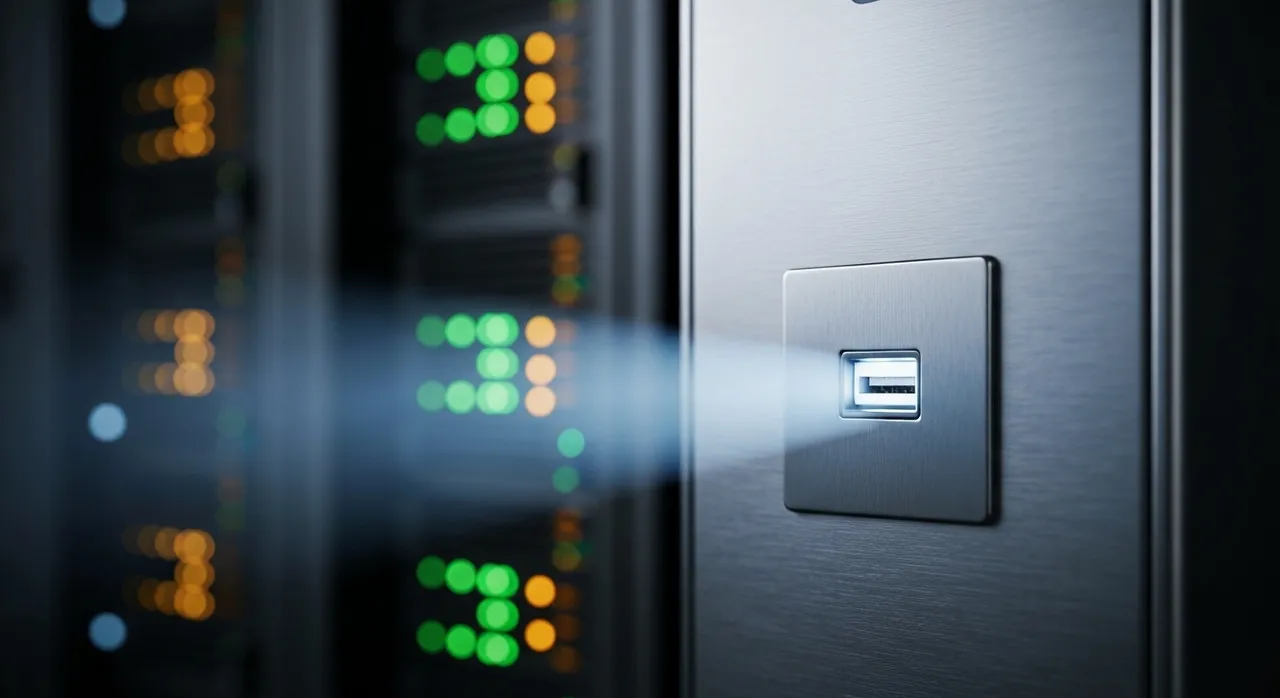
The USB file scanner acts as the essential gatekeeper in these environments. When an engineer or technician needs to load critical firmware updates, diagnostic tools, or configuration files onto an air-gapped machine, they inevitably turn to a USB drive. If that drive is compromised—whether through a malicious supply chain attack, a disgruntled insider, or an accidental infection from a home PC—the security of the entire air-gapped network is breached. The history of cybersecurity is littered with such failures, from the landmark Stuxnet case to more recent instances of ransomware propagations via thumb drives.
Why does this vector persist? It is simple: human nature and operational necessity. When a machine on a production floor needs an update, the most direct path is often a USB drive. The risk is hidden, silent, and bypasses traditional perimeter defenses that are entirely blind to physical hardware insertion. A device that appears clean can silently execute code, drop payloads, or exfiltrate data, all while the primary enterprise security tools remain unaware of the intrusion.
Multi-Engine Antivirus: Beyond Single-Layer Detection
Advenica’s new kiosk addresses this by utilizing a multi-engine antivirus approach. This is not just a marketing differentiator; it is a fundamental technical necessity in 2026. Traditional antivirus solutions, which rely on single-engine scanning, are increasingly susceptible to evasion techniques. Modern malware is frequently polymorphic or utilizes obfuscation, allowing it to bypass a specific vendor’s signature database.
By leveraging multiple antivirus engines, the USB file scanner kiosk achieves a dramatically higher detection probability. Here is why this architectural choice is critical:
- Engine Diversity: Different antivirus vendors prioritize different detection methodologies—signature-based, heuristic analysis, behavioral sandboxing, and AI-driven pattern matching. By combining these, the kiosk creates a layered defense that ensures if one engine misses a sophisticated threat, another, employing a different detection logic, will likely catch it.
- Reduced Latency for New Threats: New malware outbreaks often propagate before signature databases are updated across the board. Multi-engine systems aggregate intelligence from multiple global sources, significantly shrinking the “window of exposure” to new or zero-day threats.
- Cross-Verification: The multi-engine approach also acts as a check against false positives, which can be a significant operational headache. When multiple engines arrive at a consensus, the system can provide a higher degree of certainty regarding a file’s safety, or lack thereof.
The Role of Secureframe in Permission Management
The “Infosec Products of the Week” cycle also highlighted Secureframe’s introduction of automated “User Access Reviews.” While this might seem disconnected from the physical security of a kiosk, both developments address the same core challenge: the mitigation of human error in security infrastructure.
In most data breaches, the culprit is not a failure of encryption, but a failure of process. Over-privileged accounts, “orphaned” permissions from former employees, and poorly managed access reviews create a porous environment where malware, once introduced (perhaps via an unmonitored USB drive), can move laterally with ease. Secureframe’s automation removes the manual labor—and the inevitable oversight—associated with managing permissions.
By integrating User Access Reviews into a centralized GRC (Governance, Risk, and Compliance) platform, organizations can ensure that their internal access policies are not just theoretical documents, but enforced realities. When access is audited frequently and automatically, the “blast radius” of any potential infection is contained. An employee with access only to the systems strictly necessary for their role cannot inadvertently trigger a system-wide infection if they unknowingly plug in an infected device.
Integration: The Future of Holistic Security
The combination of these tools—a hardened USB file scanner and automated access management—represents a maturation of the security stack. Modern infrastructure must be “secure by design” at both the physical and logical layers. The Advenica kiosk secures the physical perimeter of the network, while the Secureframe platform secures the logical boundary of the identity and permission layers.
For organizations operating in critical environments, the strategy must be comprehensive. Adopting a kiosk is a significant first step, but it must be paired with clear operational policies:
- Standardize Media Usage: Only organization-owned, encrypted, and tracked USB media should be permitted. Any external media from unknown sources should be treated as inherently hostile.
- Zero-Trust for Physical Ports: Assume that every USB port is a potential point of entry. Use hardware-based controls to disable unauthorized devices at the kernel level whenever possible.
- Continuous Auditing: Treat the logs from your USB file scanner as critical security events. If a specific user or department is repeatedly attempting to load blocked files, it is an indicator of a potential insider risk or a training deficiency that requires immediate attention.
- Enforce Clean-Room Transfers: For the most sensitive networks, the “kiosk” model is superior to direct file transfer. By enforcing a process where files are scanned on the kiosk and then moved to a secondary, “clean” transfer medium, the physical connection to the secure network is protected from direct contamination.
Conclusion
As we navigate through 2026, the reliance on external hardware for data transfer shows no sign of abating. The “File Scanner Kiosk” is not just another piece of hardware; it is a critical component in a defense-in-depth strategy that refuses to ignore the persistent vulnerability of physical interfaces. By pairing high-performance, multi-engine scanning with the rigorous, automated oversight of user permissions, organizations are finally closing the loopholes that adversaries have exploited for decades.
Ultimately, the lesson is clear: security is never a static state. It is a continuous, iterative process of securing every point of entry—physical and digital—and ensuring that human error is engineered out of the equation. Whether it is an engineer plugging in a drive on a factory floor or a remote worker accessing a cloud-native database, the goal remains the same: verify, sanitize, and control. In the complex tapestry of modern enterprise security, the USB file scanner has earned its place as an essential, non-negotiable tool for the modern, resilient infrastructure.
Written by
TempMail Ninja
Digital privacy and online security expert. Passionate about creating tools that protect users' identity on the internet.


